Our shortlist focuses on Dolphin models available with authorized-dealer support. The buying criteria below also give you a useful framework for evaluating alternatives from any brand.
The best value robotic pool cleaner is the one whose price is spent on things your pool will use. That sounds obvious until you compare boxes: one robot includes NanoFilter panels and another sells them separately, one carries three years of warranty and another two, one is rated for a pool twice the size of yours. Price alone hides all of that.
So we rank value three ways: what is in the box, how many years the warranty runs, and what the robot costs per year of coverage once you divide it out. On that basis the Dolphin Quantum leads for most in-ground pools, the Premier makes a different and equally honest case, and the Dolphin Cayman and Dolphin Escape are the picks where a 50 ft robot would be money the pool cannot use.
$0 restockingNo-cost exchanges
Free shippingNationwide
Up to 3 yearsPremier & Sigma
30-day trialIn your own pool
Expert shortlist
Best-Value Picks, Ranked
Ranked for this job, with the reason each model earned its place and the point where it stops being the right choice.
The Quantum's value case is arithmetic. It is the lowest-priced of the 50 ft robots in this guide, and it still cleans floor, walls and waterline, plus sun shelves, Baja ledges and stairs, on a 55 ft cable with an anti-tangle swivel, with a weekly timer and the myDolphin Plus app over Wi-Fi.
The box matters too: the XXL MaxBin basket, over 400 sq in, comes with standard panels and a full set of NanoFilter panels, so no fine-filter purchase is waiting after checkout. The trade is warranty length: coverage runs 2 years.
Best for
In-ground pools up to 50 ft, especially with shelves, ledges or steps, where an app is welcome.
Keep in mind
Two years of warranty, not three, and it is an in-ground robot only.
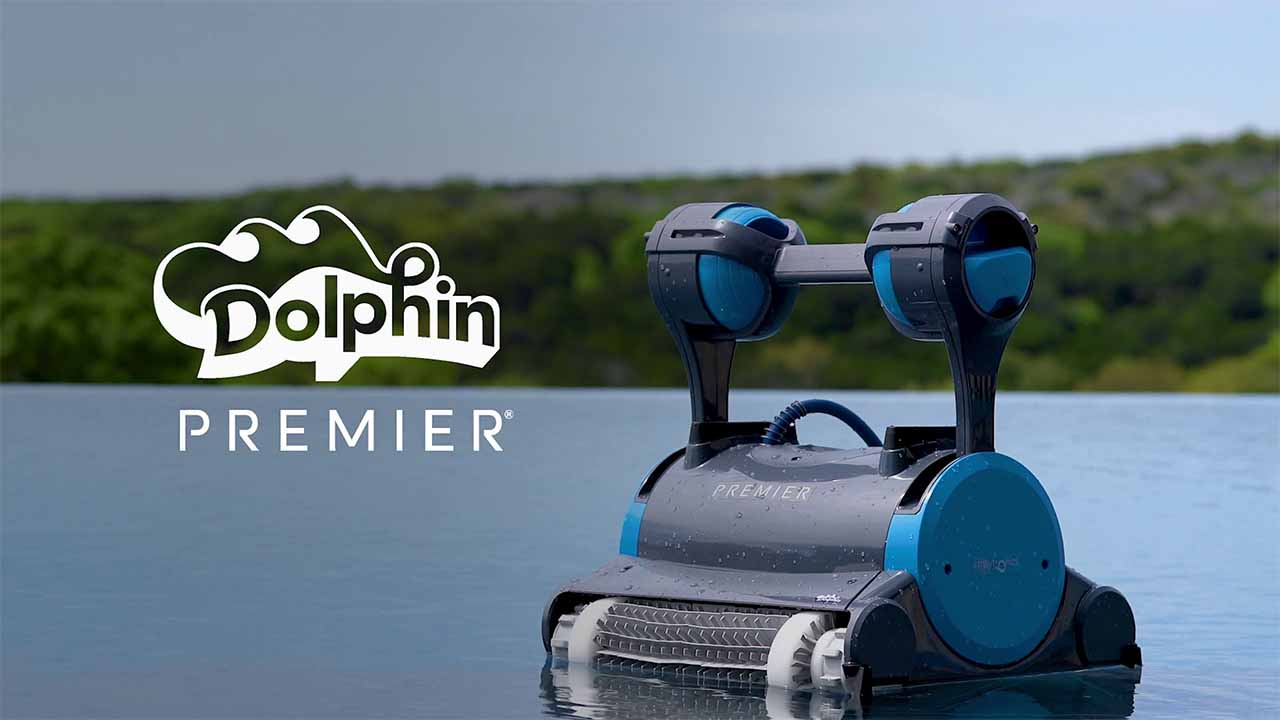
The Premier costs more than the Quantum, so its value has to come from somewhere else, and it does: time and filtration. Its warranty runs 3 years, described as not prorated and not limited by cycle count, which spreads the price over more covered seasons.
Then open the box. NanoFilters, an oversized leaf bag and standard fine filters are all included and swap in seconds through the top, so one robot handles spring pollen and fall leaves without an accessory order. Dual commercial-grade ProLine motors move 4,500 GPH through a 3-hour cycle.
Best for
In-ground pools up to 50 ft with mixed debris, owned by someone who plans to keep the robot for years.
Keep in mind
No app, and sun shelves and Baja ledges are not among its published cleaning zones; if those matter more than warranty length, take the first pick.
On a pool of 33 ft or less, the best value is to stop paying for a 50 ft rating. The Cayman sits in the lower part of the price range and still has the features that save effort every week: an every-day timer on the power supply, one-tab emptying through a top hatch, and a 50 ft cable. It works in in-ground and above-ground pools and covers floor and walls in 2 hours. Its 2-year warranty is described as not prorated and not limited by cycle count.
Best for
In-ground pools up to 33 ft where the tile line can be brushed by hand.
Keep in mind
No waterline scrubbing and no swivel; NanoFilter panels are an optional add-on, not in the box.
For an above-ground pool, value means the lowest-priced pick here, because the robots above it on this list are either in-ground machines or more cable than the pool needs. The Escape is built for above-ground pools first, with round on its shape list, a 1.5-hour cycle and a 14.2 lb body that lifts over the wall easily. Put part of the saving into the optional Automation Timer power supply, which starts a cycle every 24, 48 or 72 hours.
Best for
Above-ground pools where the cable run from the power supply measures inside 40 ft.
Keep in mind
A 40 ft cable with no swivel; on rounds larger than about 24 ft, measure the run or choose the Cayman.
How we ranked them: We matched filtration, brush system, coverage, debris capacity, automation, and warranty to this page's buying need. Pool fit carries more weight than the longest feature list.
Buying criteria
How We Measure Value
01
What Is Included, Not What Is Optional
Count what comes out of the box. The Quantum includes a full set of NanoFilter panels; the Premier includes NanoFilters, an oversized leaf bag and standard fine filters. On the Cayman and Escape, NanoFilter panels are an add-on. An item you would buy anyway is part of the real price.
02
Warranty Years Behind the Price
A warranty is the one feature with a clear time value. The Premier carries 3 years; the Quantum, Cayman and Escape carry 2. Divide the live price by the years of coverage and you get a floor on cost per year, which often reorders a list that price alone had settled.
03
Coverage Your Pool Can Use
Value is relative to the pool. A 50 ft rating, waterline scrubbing and a swivel are worth paying for in a 40 ft in-ground pool and largely wasted in a 21 ft above-ground round. The right question is not which robot has more, but which extras your pool would notice.
Side-by-side
Value Picks Compared: Specs and Warranty
Only the models recommended on this page, and only the specs that decide this choice.
What Is in Each Box, and What It Costs per Covered Year
Two robots at different prices can end up closer than they look once you add what one includes and the other does not. This is the comparison we would make before looking at a single price. Then open each card, read the live price, and divide by the warranty years. That figure is the least each robot costs per covered year, not a prediction of how long it lasts. Robots are routinely kept past their warranty, but the covered years are the only ones you can count in advance.
Robot
Filters included
Warranty
Rated pool length
Cleans
Dolphin Quantum
Standard panels and a full set of NanoFilter panels
2 years
Up to 50 ft
Floor, walls, waterline, shelves, ledges, stairs
Dolphin Premier
NanoFilters, oversized leaf bag, standard fine filters
3 years
Up to 50 ft
Floor, walls, waterline
Dolphin Cayman
MaxBin fine panels; NanoFilter panels optional
2 years
Up to 33 ft
Floor and walls only
Dolphin Escape
MaxBin basket; NanoFilter panels optional
2 years
Up to 33 ft
Floor and walls only
Where Extra Money Stops Buying Value
Past a certain point a higher price buys capability your pool never calls on. The Dolphin Sigma is the clearest example: three motors, quad brushes, a gyroscope and app scheduling over Wi-Fi and Bluetooth make it the most capable of the five robots compared here, and for an owner who wants that technology it is money well spent. On value alone it sits outside this shortlist, because the first two picks cover the same zones in the same pools for less.
The same logic runs downward. A 50 ft robot in a 28 ft pool, an app nobody opens, a leaf bag in a yard with no trees: each is a line on the receipt with nothing to show for it. Match the robot to the pool first, then let value choose between the ones that fit.
How to Compare Value on Your Own Pool
List the debris your pool gets across a year. Leaves and fine dust together point to the Premier's Multi-Media set; mostly dirt and grit points to the Quantum.
Add the price of anything you would buy separately, such as NanoFilter panels on the Cayman or Escape, before comparing two live prices.
Divide each live price by its warranty years. Compare that number, not the sticker.
Cross off any robot rated for a pool type or length that is not yours, however good the deal looks.
Buy with confidence
Protection beyond the product.
Buying through an authorized dealer gives you a clear warranty and support path. When purchased here, every featured cleaner also includes free shipping, a 30-day in-pool trial, and $0 restocking on returns.
Is the most expensive robotic pool cleaner the best value?
Rarely. The highest-priced robot here, the Sigma, is the most capable, but value depends on whether your pool uses that capability. For most in-ground pools the Quantum covers the same zones at the lowest price among the 50 ft robots, and the Premier adds a full filter set and matches the Sigma's warranty length for less.
Does a longer warranty make a robot better value?
It can. A warranty is the one feature you can price per year. The Premier's coverage, described as not prorated and not limited by cycle count, lasts a year longer than the coverage on the other three picks, which spreads its cost over more seasons. Whether that outweighs a lower price depends on how long you expect to keep the robot.
Which robotic pool cleaner is best for the money on a small pool?
For a small in-ground pool up to 33 ft, the Cayman: every-day timer, top-hatch basket and a 50 ft cable in the lower part of the price range. For a small above-ground pool, the Escape. A robot from the 50 ft class is better value on a small pool only if you want the tile line scrubbed for you.
Is Wi-Fi worth paying extra for on a pool robot?
Only if you will use it. The Quantum's app starts, stops and schedules the robot and sends alerts, which helps when you are away from the pool. If you simply want cleaning to happen, the timers on the Premier, Quantum and Cayman power supplies do that with no phone or Wi-Fi at all.
By Budget
Keep Exploring
Compare another buying need or open the complete guide library.
Buy the lowest-priced robot that covers your pool's length and the zones you want cleaned, then check whether one step up includes something you would have bought anyway. In-ground to 50 ft: the Quantum. Choose the Premier instead when a third warranty year and a full filter set matter more than phone control. In-ground to 33 ft: the Cayman. Above-ground: the Escape. Not sure which side of a line your pool sits on? Ask a pool expert.