Our shortlist focuses on Dolphin models available with authorized-dealer support. The buying criteria below also give you a useful framework for evaluating alternatives from any brand.
A pool robot lives a hard life: submerged in treated water, dragged over rough plaster, left in the sun beside the steps. So it makes sense to shop for the best robotic pool cleaner with long warranty coverage, and to read past the number on the box. Years are the headline. Terms are the substance.
Three questions sort a strong warranty from a weak one. Is it prorated, so that your share of a repair grows as the robot ages? Is it capped by a count of cleaning cycles, so that heavy use runs it out early? And who handles a claim when something fails? Here the two longest warranties are 3 years and the others are 2, and the four robots we rank share terms described as not prorated and not limited by cycle count.
$0 restockingNo-cost exchanges
Free shippingNationwide
Up to 3 yearsPremier & Sigma
30-day trialIn your own pool
Expert shortlist
Long-Warranty Picks, Ranked
Ranked for this job, with the reason each model earned its place and the point where it stops being the right choice.
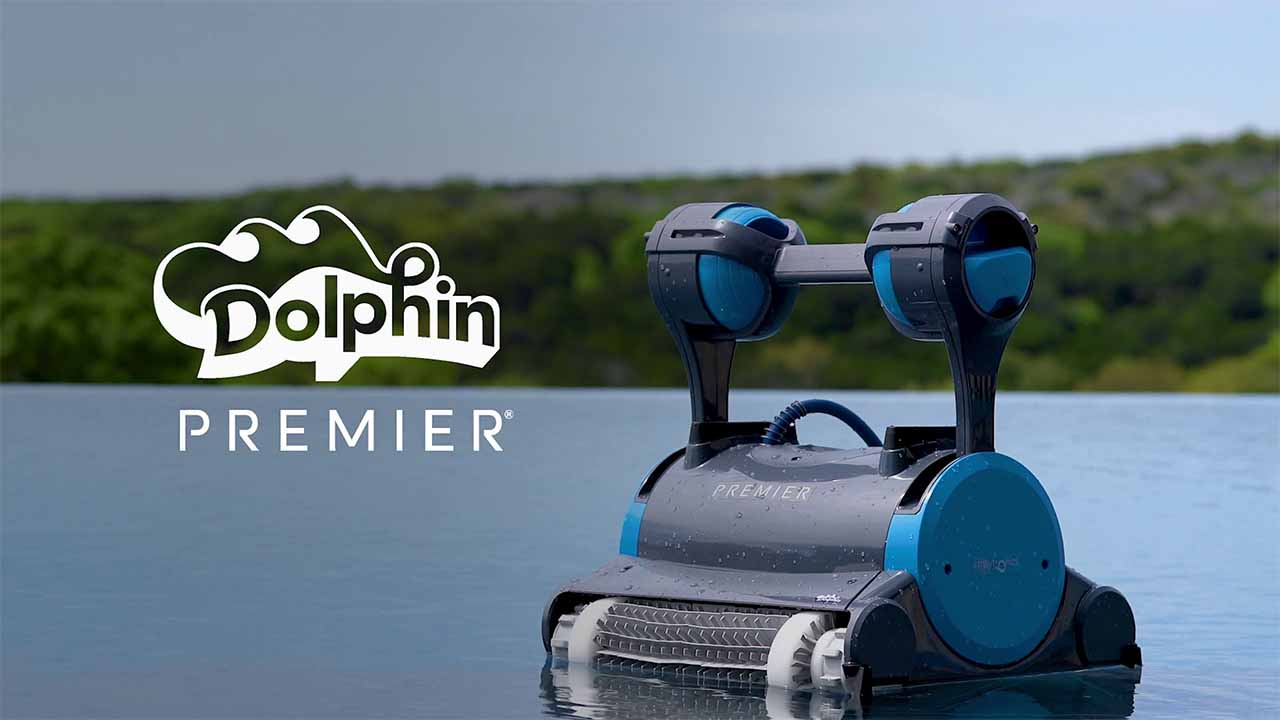
The Premier carries a 3-year warranty, the longest in this guide, described as not prorated and not limited by cycle count. That last point suits how the Premier is meant to be used: its weekly timer can run it every day, and its 3-hour cycle is the longest here, so a cycle cap would bite.
It ranks ahead of the Sigma, which has the same 3 years, because it is the better fit for more pools at a lower price: floor, walls and waterline up to 50 ft, with three filter types in the box. As an authorized dealer we supply it with the full 3-year warranty.
Best for
Owners who run the robot often and want three years of non-prorated cover on a 50 ft in-ground robot.
Keep in mind
A warranty covers defects, not fit: this is an in-ground robot with no app. Read the terms for what counts as wear.
The Sigma matches the Premier year for year: 3 years, not prorated, not limited by cycle count. If anything, a long warranty matters more here, because there is more inside to protect: a gyroscope-guided SmartNav 3.0 system, three commercial-grade ProLine motors, quad brushes, and the Wi-Fi and Bluetooth link for the myDolphin Plus app.
It is the highest-priced of the five Dolphins compared here, and three years of cover is part of what that price buys. It is second on this page only because, for warranty alone, the same cover costs less on the Premier.
Best for
Buyers of the most advanced robot here who want its electronics covered for three full years.
Keep in mind
Highest price of the five. The warranty matches the Premier's exactly, so buy it for the features, not for extra cover.
The Quantum's warranty runs 2 years, one year less than the two robots above, on the same footing: not prorated and not limited by cycle count. So what you get is full cover for as long as it lasts. What you trade for the shorter term is price.
The Quantum costs less than the other 50 ft robots here, and it brings the widest coverage of the five, including sun shelves, Baja ledges and stairs, plus app control over Wi-Fi. A full-strength 2-year warranty on a robot that fits the pool beats a longer one on a robot that does not.
Best for
In-ground pools up to 50 ft, especially with shelves or stairs, when price matters more than the third year.
Keep in mind
One year less cover than the Premier and Sigma. If you plan to keep the robot many seasons, weigh that year against the price gap.
The Cayman shows that strong terms are not reserved for the top of the range. Its warranty is 2 years, and like the robots above it is described as not prorated and not limited by cycle count. That matters on this robot: its timer has one setting, every day, so in season it may run far more cycles than a robot used on demand, and none of them count against the cover.
It serves pools up to 33 ft, in-ground or above-ground, and sits fourth because it pairs the shorter term with the narrowest coverage of the four picks.
Best for
Pools up to 33 ft, in-ground or above-ground, where a daily schedule would wear through a cycle-limited warranty.
Keep in mind
Two years, not three, and no waterline cleaning. Over 33 ft it is the wrong robot whatever the warranty.
How we ranked them: We matched filtration, brush system, coverage, debris capacity, automation, and warranty to this page's buying need. Pool fit carries more weight than the longest feature list.
Buying criteria
What Makes a Warranty Worth Having
01
Length in Years
The simplest measure. Among the robots here, coverage runs 3 years on two models and 2 years on the rest. The extra year matters most in long-season climates, where a robot may run several times a week for most of the year.
02
Prorated or Not
A prorated warranty pays less as time passes: full cover early, then a shrinking share while you pay the rest. A warranty that is not prorated gives the same cover in its last month as in its first. Always ask which kind you are being offered.
03
Cycle Limits
Some warranties end after a set number of cleaning cycles even when the calendar says there is time left. That penalizes the owners who use the robot most. Cover that is not limited by cycle count lets you run a daily schedule without watching a counter.
04
Where You Buy
A manufacturer warranty depends on buying from an authorized dealer. Unauthorized listings can leave you holding a robot with no valid coverage. Keep your proof of purchase; it is the first thing a claim asks for.
Side-by-side
Warranty and Build Compared
Only the models recommended on this page, and only the specs that decide this choice.
Here is a way to decide without a spreadsheet. Check the live prices on the cards and note the gap between a 3-year robot and a 2-year one. Then ask what the gap buys besides the year, because it is never the year alone: a longer cycle and a leaf bag, for example, or a gyroscope.
Next, think about your season. In Texas, Florida or Arizona a robot may run almost year-round, so a third year covers a great many cycles. In a four-month northern season, the same year covers far fewer. Owners who run a daily schedule get the most from long cover with no cycle limit; owners who clean on demand a dozen times a summer get the least.
What a Warranty Does Not Cover, and How to Keep Yours
A warranty answers for defects. It does not answer for wear, misuse or a robot bought for the wrong pool. Brushes, tracks and filter media wear with use and are yours to replace; the warranty statement that comes with the robot gives the exact list. We do not promise warranty coverage for commercial use, so ask before putting one in a hotel, club or rental pool.
Buy from an authorized dealer and keep the order confirmation.
Photograph the serial number label the day the robot arrives.
Follow the manual on care: take the robot out before shocking or adding chemicals, and rinse the filter regularly.
Do not open sealed housings or attempt motor repairs. Contact the dealer first.
Protect Your Coverage from Day One
Run the robot through several full cycles soon after delivery, so any early fault shows up while the purchase is fresh.
File the order confirmation where you will find it in three years: an email folder, a cloud drive or a printout kept with the manual.
Replace worn brushes and tracks when they are due. Worn wear parts make the rest of the robot work harder.
If something fails, stop using the robot, note what it does and any indicator lights, and contact us with the order details before trying a repair.
Buy with confidence
Protection beyond the product.
Buying through an authorized dealer gives you a clear warranty and support path. When purchased here, every featured cleaner also includes free shipping, a 30-day in-pool trial, and $0 restocking on returns.
What does not prorated mean on a pool robot warranty?
It means the cover does not shrink as the robot ages. Under a prorated warranty the maker pays a declining share of a repair or replacement over time. The warranties on the Premier, Sigma, Quantum and Cayman are described as not prorated, so the last month of cover is worth the same as the first.
Which Dolphin has the longest warranty?
Of the five compared here, the Premier and the Sigma, at 3 years each. The Quantum, Cayman and Escape carry 2 years. If length is your only criterion, choose between the first two on features and price, because the cover itself is the same.
Is a robotic pool cleaner with long warranty cover still protected if I run it every day?
On the four robots ranked here, daily use does not shorten the cover: their warranties are described as not limited by cycle count. Normal wear on brushes, tracks and filters is still yours to maintain, and the manual's care instructions still apply.
Does the warranty cover a robot used in a rental or community pool?
Do not assume so. We do not promise warranty coverage for commercial use. If the robot is going into a shared or commercial pool, tell us before you order so we can go through the terms with you. Ask a pool expert.
How long is the warranty on the Dolphin Escape?
It is 2 years, the same length as the Quantum and Cayman. The Escape is outside this shortlist, though not because of its cover: its 2-year warranty is described in the same terms, not prorated and not limited by cycle count. Read the Escape's terms on its product page.
By Feature
Keep Exploring
Compare another buying need or open the complete guide library.
Find the robots that fit your pool first, then let the warranty break the tie. For an in-ground pool up to 50 ft, the longest cover belongs to the Premier, and to the Sigma if you also want phone scheduling. If the budget stops lower, the Quantum gives up one year and none of the terms. For a smaller pool, the Cayman does the same. In every case buy from an authorized dealer and keep the receipt, because a long warranty you cannot claim on is worth nothing.